
We're in a Show! New York Writes Itself
In June of this year, we were invited to participate in a letterpress show for a project called New York Writes Itself.
New York Writes Itself (NYWI) is an amorphous creative production where the inspiration is created not by one person, rather an entire city of potential scribes. Overheard conversations, glimpsed interactions or in-your-face encounters all form the ever growing script. A scribe is described by NYWI as “observational and in touch with the people of New York”, it can be ANYONE in short, and these recorded moments are simply submitted by logging on to the NYWI site and filling out a form.
The show we are in is called New York Types and is a celebration of NYC Letterpress community and the people of NYC. This particular chapter of the NYWI production serves as an ideal description of what NYWI is all about; the spoken word or observed daily life experience of a fellow New Yorker forming the impetus for creativity in whatever form it may take, in this case amazing letterpress posters.
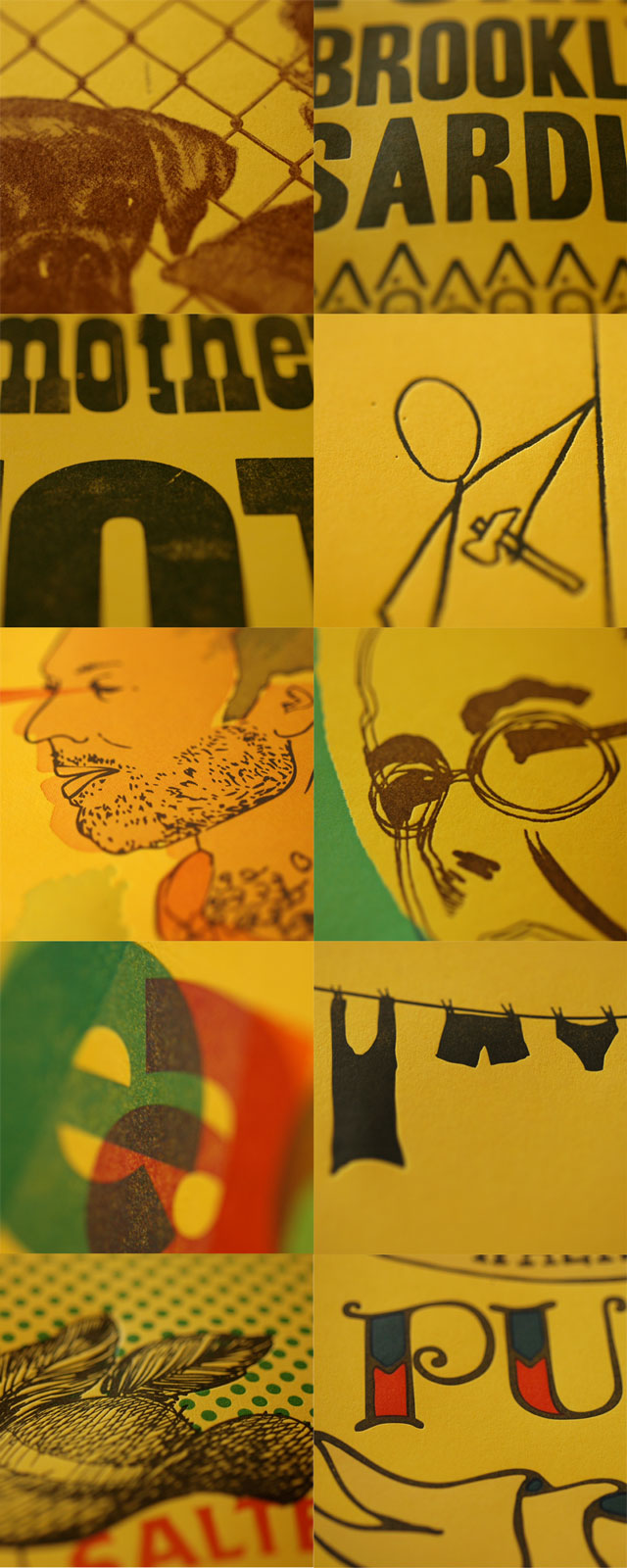
Given the opportunity to be a part of this, we jumped at the chance to give life to the individual voices and views of the city and life in New York. Each Swayspacer created a poster based on selected scripts from NYWI and each designer put his/her own spin on the script creating what is an exciting and colorful addition to the show.
Here's Willy, crankin' out some posters:
In addition to the ten editions of posters, we also produced a large scale group poster to which we each contributed drawings.
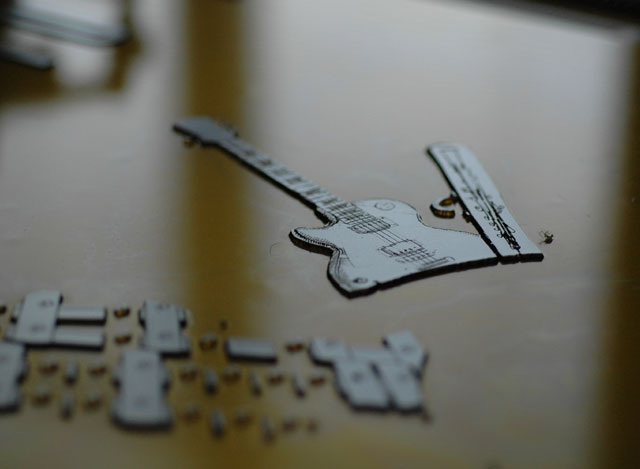
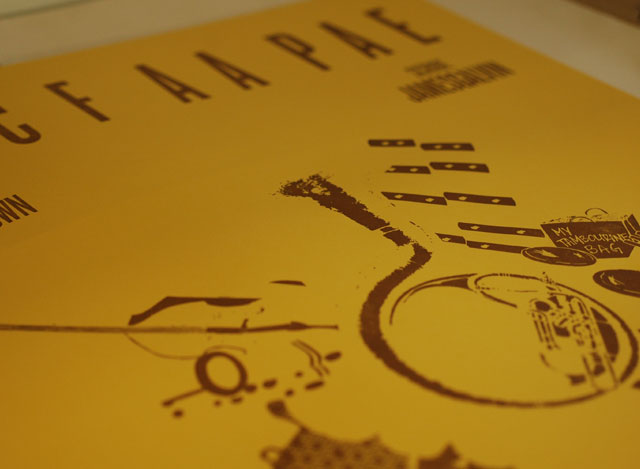
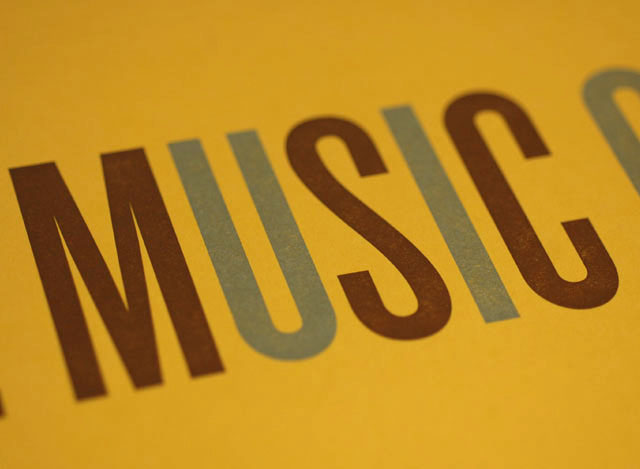
You can see the full posters at the show, which opens Dec 15 at the Art Director's Club in New York. More info about the project is here, and you can RSVP for the event here. The pieces are also available for purchase on the NYWI website.
See you there!
Stop-n-Shop
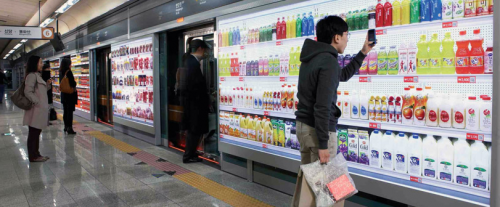
@counternotions tweeted about a neat new advertising campaign designed by ad agency Cheil for Tesco Homeplus, a supermarket in Seoul, South Korea. Cheil created a large wall-length billboard resembling a virtual grocery store inside of a subway station. The ‘store shelves’ display images and prices of a range of common products. Each product has it’s own QR code which can be scanned to add it to an online shopping cart. After the commuting consumer is done shopping, the groceries will then be delivered to their home within the next couple of hours.
The objective of the virtual grocery store is to make productive use of commuters' waiting time by saving shoppers time spent going to the supermarket and, of course, advertising Tesco’s hypermarket which is currently under construction.
Because I have never lived in South Korea, I am not going to speak to how this product would succeed or fail in the context of South Korea. Because I do live in a city with the busiest metro system in the Western Hemisphere and an ever-growing, overworked labor force I am going to discuss this product in the context of my own home metropolis, New York City.
Like a real grocery store the aisles and shelves look bright, glossy, orderly...appealing. Such a cleanly rendered, realistic depiction of store aisles taken out their context and plunged into a space which is both hopeful (the ride home) and dreadful (the often hot, stinky wait) creates a tension which makes it feel almost like an art installation. And yet, in a space where commuters are preconditioned to be inundated with the ever-cycling advertisements of the day, I can't help but wonder if New Yorkers wouldn't just perceive this as an ad and thus be discouraged from actually interacting with it. Unless of course it was a product and an interface that the consumer was already comfortable using, such as Fresh Direct.
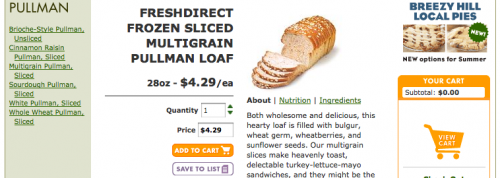
Fresh Direct is an online grocery store serving the New York City metrpolitan area. Shoppers order online and then FD delivers them at the customer's desired date and time. Here at Swayspace this is the service that we use to order groceries for lunches in the studio each week. For the first time last week I was in charge of putting in our order. Ordering packaged products like chips and cookies feels normal since these products look and taste the same almost every time I purchase them. Ordering cold cuts, fresh bread and ready-to-eat meals is a different story. A thumbnail image of Fresh Direct’s multigrain pullman loaf doesn’t say much to me when I can’t pick it up to feel it’s weight, density and color. These items arrived like a surprise as though someone else had more control over what arrived in our cardboard boxes than I did. The experience left me a little feeling uneasy. But as with anything, time and repetition would likely breed familiarity and I very well might look forward to tackling my Fresh Direct order while waiting for my ride home.
A few people responded to Tesco’s advertisement by suggesting that we take this model a step further to create whole stores with dynamic aisles of screens. This would allow product placement to be adjusted, sale items highlighted and prices managed from afar while taking up less physical real estate with the lack of aisle space needed for shopping carts and cashiers. Over time and generations could we slowly loose our attachments to the sensory inputs a grocery store: the smell of muffins from the bakery in the morning, the chill in the freezer aisles, the convenient candy bar on your way to checkout. In considering the possibilities of such an interface, the problems of substituting the usual sensory experiences of grocery shopping pose clear hurdles to designers trying to engage their users.
In a city where the urban working dwellers spend long hours in the office and usually can’t wait to get home to their young ones or out to the bar for a cold drink this just might work (that is if you can get used to getting shoved out of the way as you reach to scan the milk). For now, I’ll continue to cherish it when the butcher hands me a slice of turkey to test it’s thickness and when I press my finger into an avocado and know I’ll be able to eat it the next day.
Knot Practical
Have you ever wondered how you might survive in the wild? Well, we at Swayspace certainly have: where the closest thing to the natural world are the mosquitoes that divebomb from the Gowanus in the summer. What could we urban soldiers and keyboard jockeys do if we had to camp out in Central Park if not the Adirondacks? Well Alite has us in mind with its new line of gear. They have soft dog collars with room for storage to tents inspired by RV's, and of course their Sexy Hotness sleeping bag that blurs the line between full length jacket, purple pajamas, and a limitlessly extendable bed for romping.

But as we all know, camping is not just the fun and games of birch blanket bingo. We need to have some practical knowledge. In our recent partnership with Alite we designed and letterpress printed some beautiful booklets cum posters that are portable enough to go in your pocket and beautiful enough to go on your wall. Our focus for this first pamphlet is knots: sexy and practical. Hopefully this is the first in a series of survival pamphlets for the person who wants to experience nature, but with the elegance and comfort of the city.

We took some of the lessons that we learned printing the Feltron report with its large plates and tried to have a little bit of fun with the poster. Which means we pushed the design to the edge of our printable surfaces and sometimes even over the edge of our bases! We tried to give the booklet a classic feel with the font style and with our color choices of rusted red and brass.

So if you want to pick up one of these awesome, limited edition posters, come on down to the Alite pop-up store this evening at 6 at Eastern Mountain Sports. I mean you never know when you'll have to lift a tree with a rope and go to fancy dress dinner in the same night!

We’re in an Art Show
We are excited to announce Swayspace's participation in a show highlighting the work of master craftsmen and artisans working in New York City. The show is part of the LVMH-sponsored project The Art of Craftsmanship Revisited: New York and opens this Wednesday 26 May. The show will be open to the public June 5 - June 27, 11 AM - 5 PM at Nolan Park on Governors Island, which is a great place to visit in the summer in New York, so we hope you can make it out to see and celebrate the hard work of these craftsmen and students.
This has been a great opportunity for us to peruse our archives for some of our favorite commercial work like the 2009 Feltron Annual Report as well as the kind of interesting printed ephemera that we're always producing.
The invitation we designed and printed for the opening:

A sneak peak of what we'll have on display:


Here's how this came about:
Over the past winter and spring we hosted a group of Parsons fashion design students as part of The Art of Craftsmanship Revisited: New York. Andres, Chi, Payal, Sherman, and Sooji of the team Half-Broken Things spent many hours in the Swayspace printshop absorbing many fine points about letterpress printing. These lessons informed their final project, a dress and short film.
Select Menus and Conditional Logic with jQuery
In a recent prototype for a web application we are working on, we needed to use a select menu to display the appropriate result after a user makes a selection. We couldn’t find any jQuery examples online that did just what we wanted, so hopefully the following will help someone facing the same problem.
Here’s an example of what we want to happen. Choosing one of the options in the select menu reveals a particular paragraph. Clicking “Remove” makes that paragraph disappear again. Choosing “Select...” resets everything back to where we started:
<select>
<option value="0">Select...</option>

<option value="1">First</option>

<option value="2">Second</option>

<option value="3">Third</option>

</select>
<p id="first">This is the first paragraph. <a class="remove" href="#">Remove</a></p>
<p id="second">This is the second paragraph. <a class="remove" href="#">Remove</a></p>
<p id="third">This is the third paragraph. <a class="remove" href="#">Remove</a></p>
<script type="text/javascript" src="http://code.jquery.com/jquery-latest.js"></script>
<script>
$('select').change(function() {
if ($(this).val() == 1) {
$('#first').show('fast'); }
else if ($(this).val() == 2) {
$('#second').show('fast'); }
else if ($(this).val() == 3) {
$('#third').show('fast'); }
else if ($(this).val() == 0) {
$('#first, #second, #third').hide('fast'); }
});
$('.remove').click(function() {
$(this).parent().hide('fast');
});
</script>
And here’s how the code works. First include jQuery (duh). Next create a select menu with a value included for each option. (That’s crucial for making the whole thing work.) Following that, we’ve got three hidden paragraphs, each with an id (unique, of course). Then comes the script, which pretty much says “If the user switches the select menu to option 1, 2, or 3, display the corresponding paragraph. If they select the first option, hide any displayed paragraphs. And if they click a link, hide the parent (the paragraph in this case) of that link.” Hope that helps, and happy coding:
<code markup="none">
<!DOCTYPE html>
<html>

<head>
 <script type="text/javascript" src="http://code.jquery.com/jquery-latest.js"></script>
</head>

<body>
 <select>
 <option value="0">Select...</option>
 <option value="1">First</option>
 <option value="2">Second</option>
 <option value="3">Third</option>
 </select>
 <p id="first">This is the first paragraph. <a class="remove" href="#">Remove</a></p>
 <p id="second">This is the second paragraph. <a class="remove" href="#">Remove</a></p>
 <p id="third">This is the third paragraph. <a class="remove" href="#">Remove</a></p>
 <script>
 $('select').change(function() {
 if ($(this).val() == 1) {
 $('#first').show('fast'); }
 else if ($(this).val() == 2) {
 $('#second').show('fast'); }
 else if ($(this).val() == 3) {
 $('#third').show('fast'); }
 else if ($(this).val() == 0) {
 $('#first, #second, #third').hide('fast'); }
 });

 $('.remove').click(function() {
 $(this).parent().hide('fast');
 });
 </script>
</body>
</html>